Time tracking · 3 min
Schedule and approve vacation
Requests through the app, CLT rule checks, a signed notice and payment on the right date.
Open Requests and filter by Vacation. Requests made through the app and expiring vacation show up together.
When you open a request, Vela checks the rules: 30 days' notice, up to 3 periods (one of at least 14 days and the others of at least 5) and a start outside the 2 days before a holiday or day off.
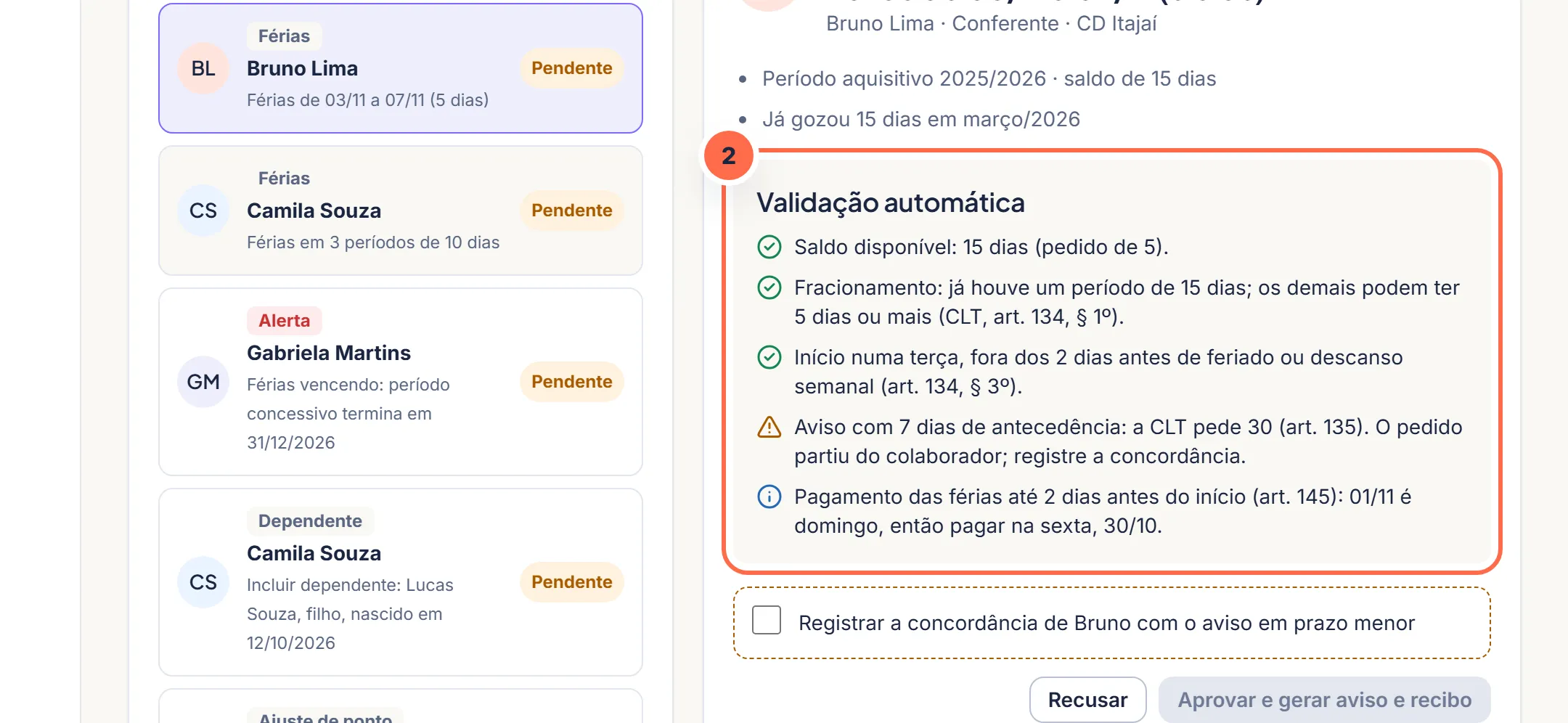
The validation points out what meets the rules and what needs attention, like notice shorter than 30 days.Do it in the demo Click “Approve”. The vacation notice goes for signature on the person's phone.
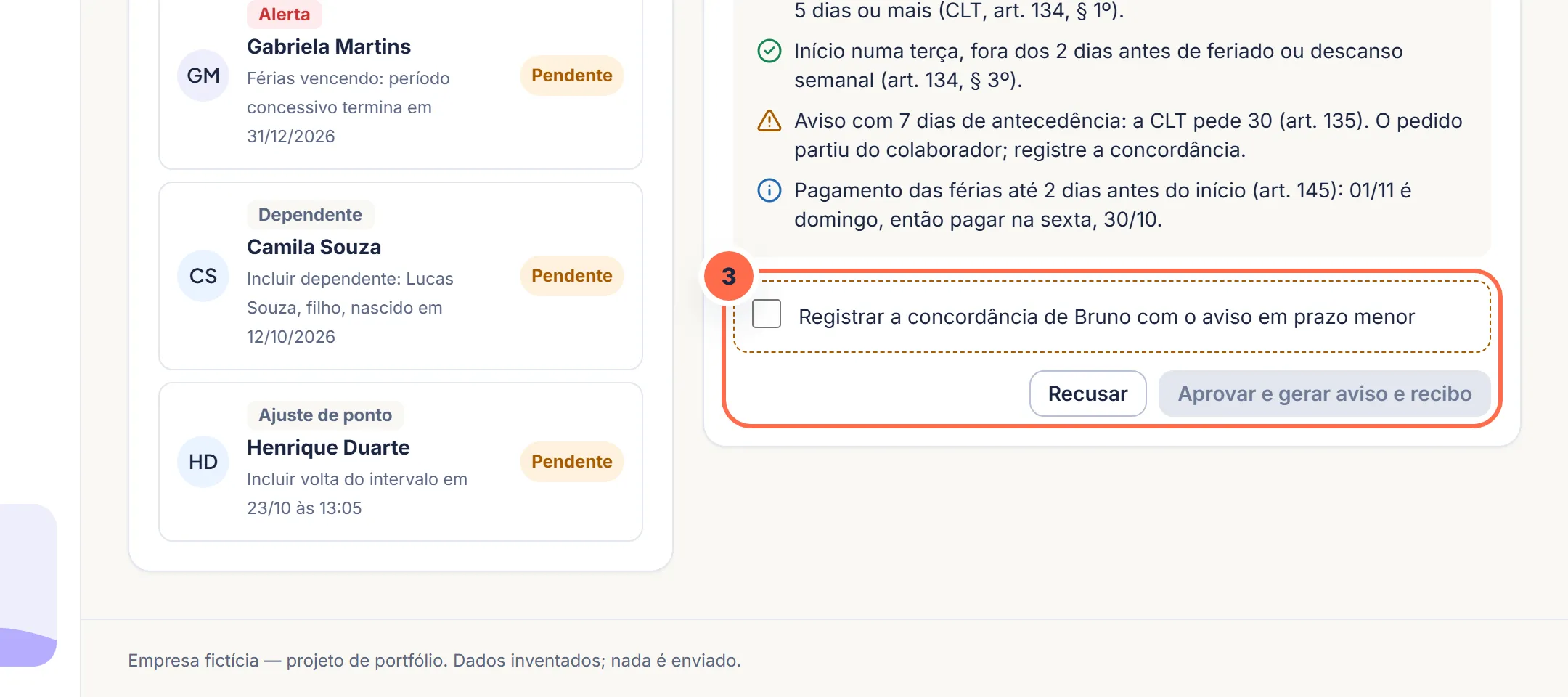
The decision logs the person's agreement when the law requires it and triggers the notice for signature.Do it in the demo Payment goes into payroll to be paid up to 2 days before the start, with the constitutional one-third bonus.
Was this article helpful?
A fictitious help center, created for the portfolio. The screens mentioned exist in the product demo.