Skip to content

Portfolio project by Bruna PradoVela RH is a fictitious company

EN
EN
See the demo

30-minute demo

Almost there

We'll send the invite to . Tell us a bit more so the demo fits your company.

Demo form: nothing you type leaves your browser.

Time tracking · 4 min

Set up schedules and shifts

44-hour weeks, 12x36, night shifts: how to register each type.

  1. In Time tracking › Schedules, click “New schedule”.

  2. Choose the type (fixed weekly, rotation or shift) and enter the times and breaks.

  3. Assign the schedule to a team or to specific people.

  4. Check the month's calendar: days off and holidays show up automatically.
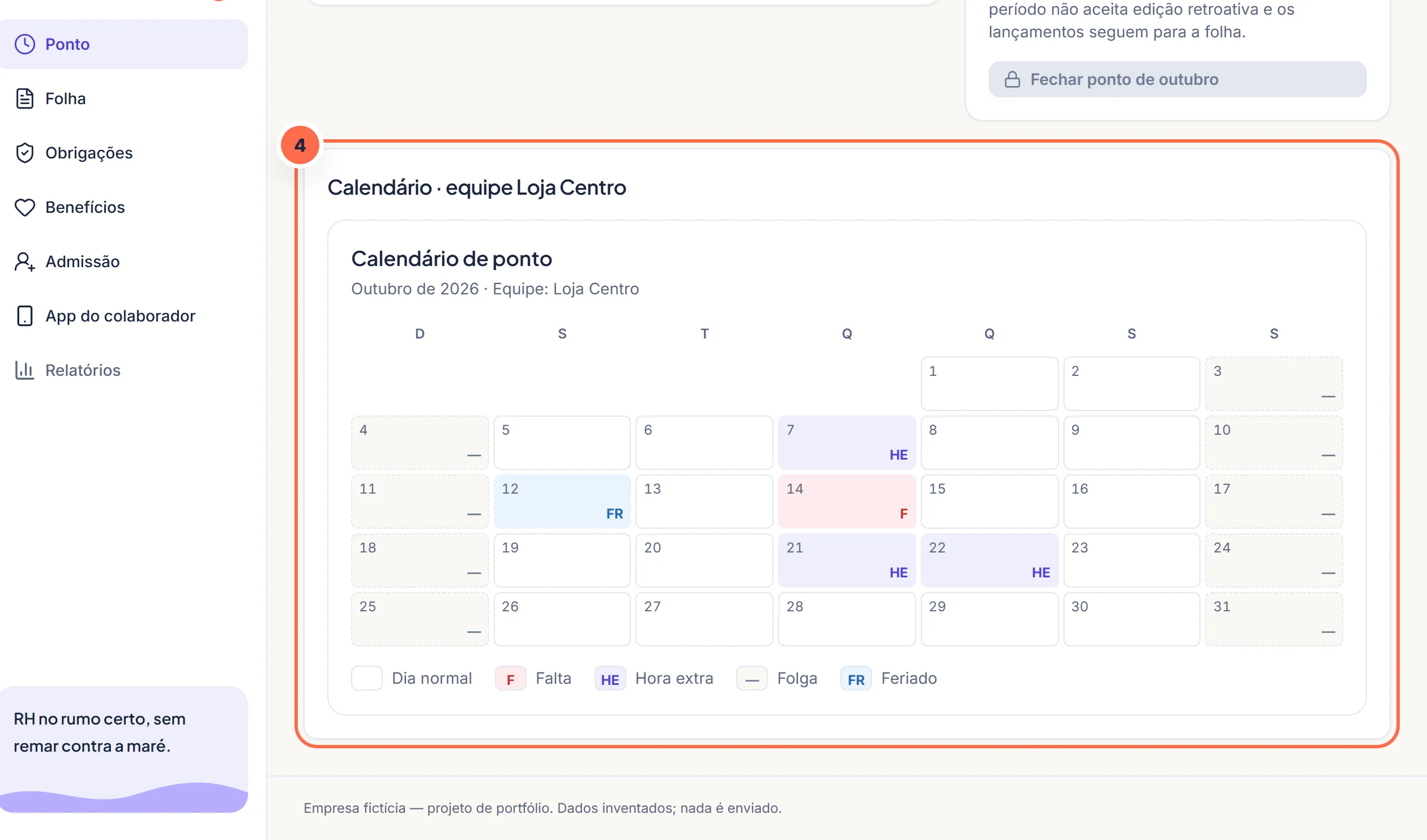
    Vela screen at step 4: Days off and holidays show up on the calendar with an abbreviation and a legend.
    Days off and holidays show up on the calendar with an abbreviation and a legend.Do it in the demo

Was this article helpful?

A fictitious help center, created for the portfolio. The screens mentioned exist in the product demo.

The Vela newsletter

Payroll without scares, once a month

Payroll deadlines, changes in the law and a ready-made checklist for the month. No spam: you can leave whenever you want.

Demo: nothing is sent or stored.

Search the site

Esc

↑↓ navigate · Enter open · Ctrl+K from any page