Digital onboarding · 3 min
Send the onboarding invite
From the initial record to the link the person receives on their phone.
In Onboarding, click “New hire”.
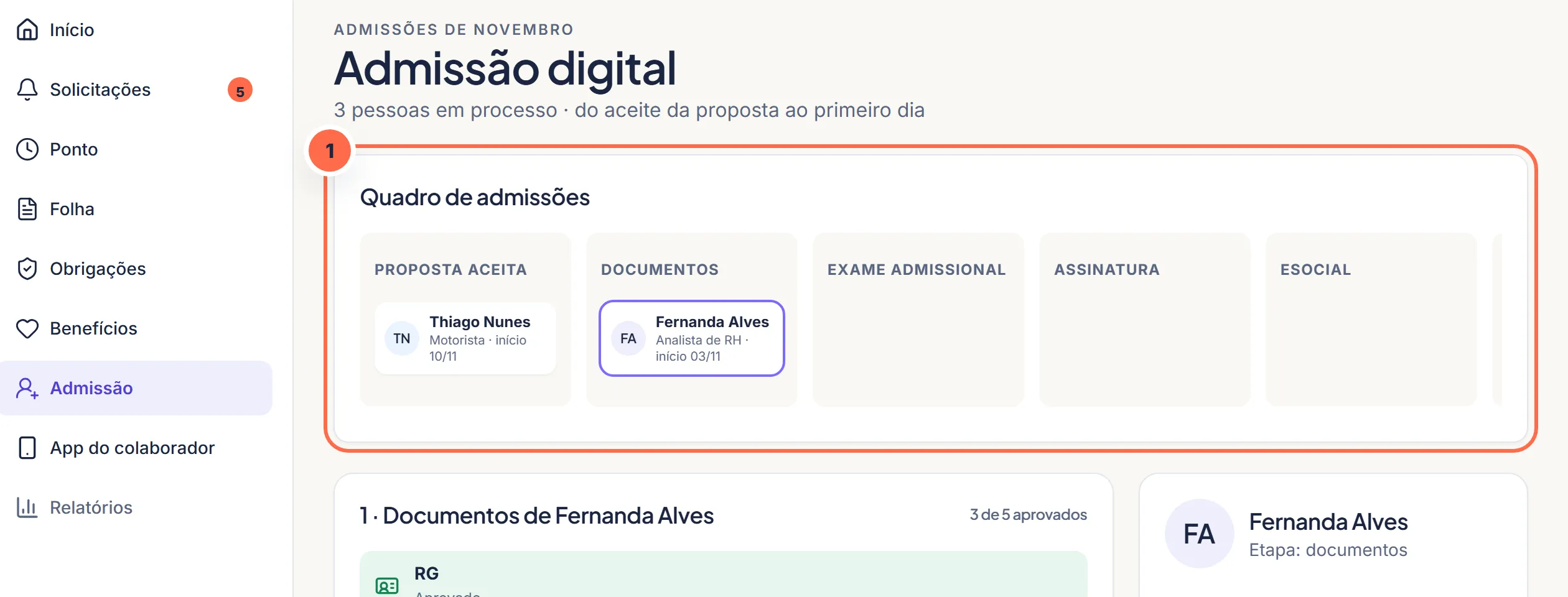
Each hire shows up on the board, at the step they're in.Do it in the demo Fill in role, salary, schedule and start date.
Choose which documents to request (the default list is already checked).
Send the invite by email or WhatsApp. The person fills in and sends everything from their phone.
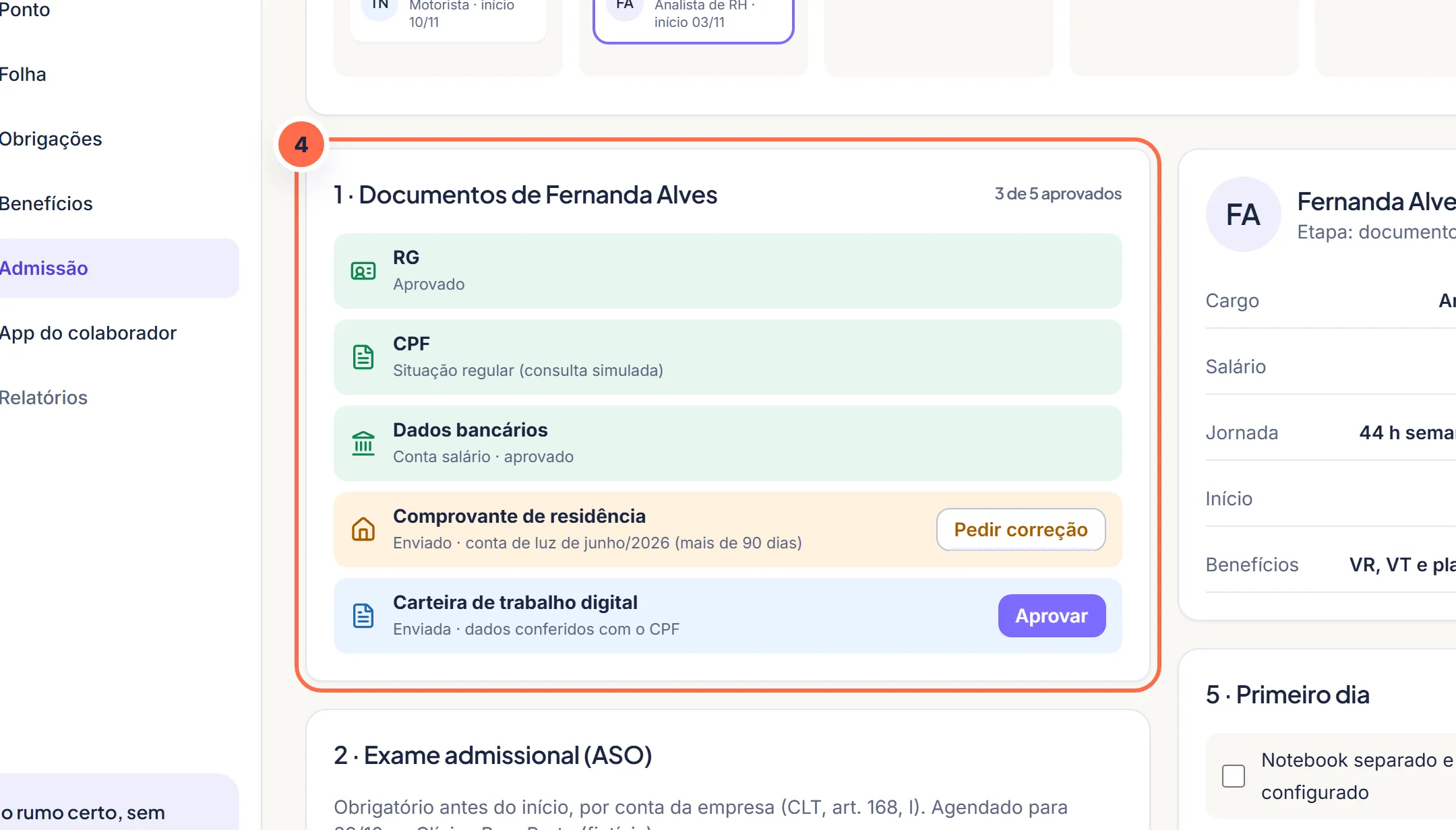
Documents sent from the phone arrive with each one's status.Do it in the demo
Was this article helpful?
A fictitious help center, created for the portfolio. The screens mentioned exist in the product demo.