Skip to content

Portfolio project by Bruna PradoVela RH is a fictitious company

EN
EN
See the demo

30-minute demo

Almost there

We'll send the invite to . Tell us a bit more so the demo fits your company.

Demo form: nothing you type leaves your browser.

Benefits · 2 min

Simulate a new benefits policy

See the cost before announcing an allowance or changing amounts.

  1. In Benefits, click “Simulate new policy”.
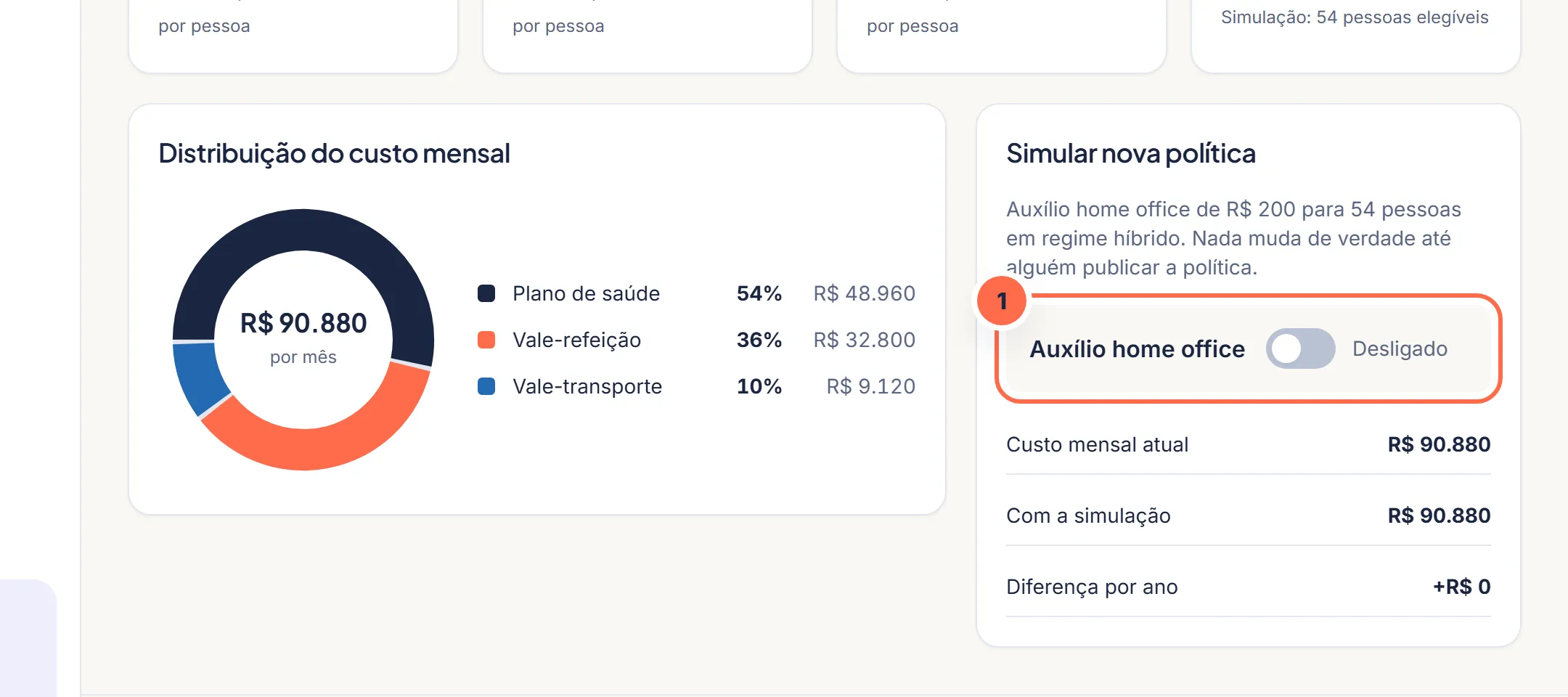
    Vela screen at step 1: The simulation is in Benefits › Costs and simulation.
    The simulation is in Benefits › Costs and simulation.Do it in the demo
  2. Turn on a new benefit or change amounts and eligibility.

  3. Compare the current cost with the simulated one, per month and per year.
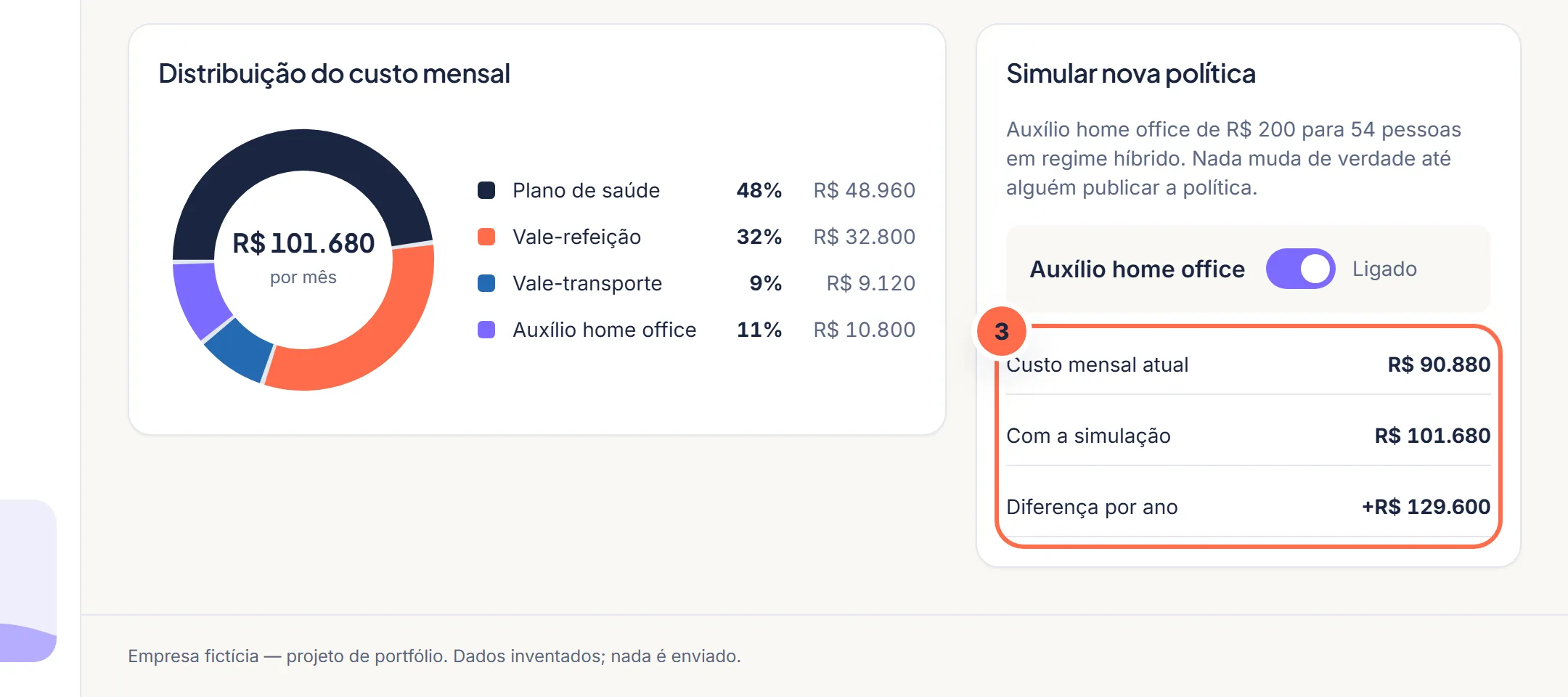
    Vela screen at step 3: The current cost and the simulated one show up side by side.
    The current cost and the simulated one show up side by side.Do it in the demo
  4. If it makes sense, publish it. Nothing changes until it's published.

Was this article helpful?

A fictitious help center, created for the portfolio. The screens mentioned exist in the product demo.

The Vela newsletter

Payroll without scares, once a month

Payroll deadlines, changes in the law and a ready-made checklist for the month. No spam: you can leave whenever you want.

Demo: nothing is sent or stored.

Search the site

Esc

↑↓ navigate · Enter open · Ctrl+K from any page